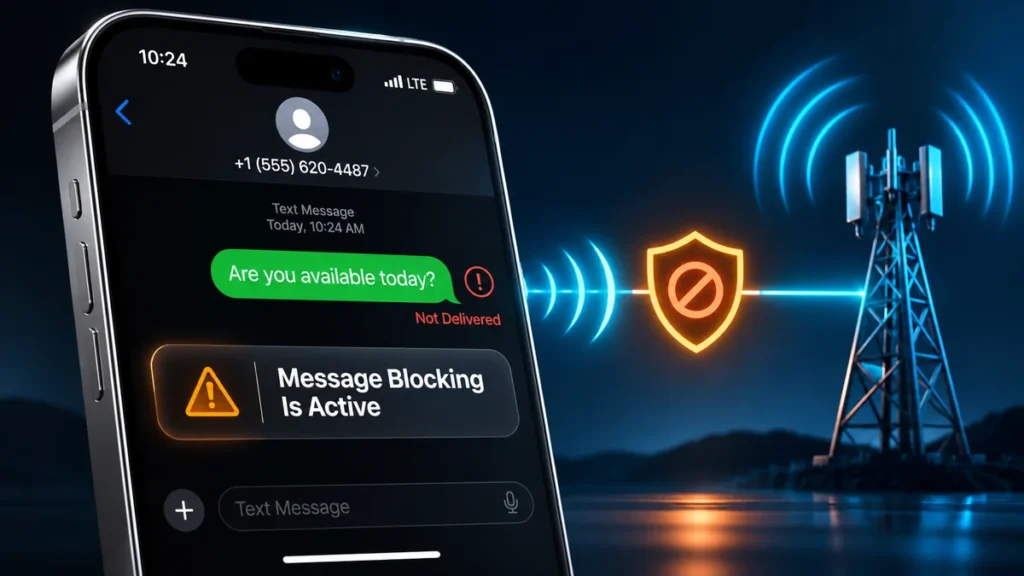
If your iPhone shows “Unable to Send Message. Message Blocking Is Active” when you try to text someone, the problem may not be with the Messages app at all.
This error commonly points to a restriction or problem involving your mobile carrier’s messaging service. It can happen even when your iPhone has cellular signal, mobile data works, and iMessage messages reach other people normally.
Quick answer: When you see Unable to Send Message Message Blocking Is Active, check whether SMS or MMS messaging is restricted on your carrier account. Also confirm that your cellular line is active, the recipient’s number is correct, and your plan supports text messaging.
Table of Contents
Unlike a typical iMessage Not Delivered warning, this error can involve restrictions that only your wireless provider or account administrator can change.
This guide explains what Message Blocking Is Active means, how to identify which side has the problem, and nine practical fixes for iPhones running iOS 27 and other recent versions.
What Does Message Blocking Is Active Mean on iPhone?
The Message Blocking Is Active error generally means a message could not be sent because the carrier’s messaging service rejected or restricted it.
The problem can involve a restriction on your own wireless account, a restriction affecting the destination number, or another carrier-related messaging issue.
For example, a mobile plan may have an outgoing SMS restriction, or an account administrator may have enabled a messaging block.
The exact cause depends on your provider and the circumstances.
T-Mobile, one of the US carriers that documents this error, explains that its Message Blocking service can restrict certain incoming and outgoing SMS and MMS messages.
However, the wording of the error does not prove that a particular person has intentionally blocked you.
Important: Carrier message blocking and blocking a contact inside the iPhone’s settings are not the same feature.
Carrier blocking is managed through your wireless service. The iPhone’s Blocked Contacts feature is a separate device-level control.
For more details, see T-Mobile’s official Message Blocking support page.
Why Does Your iPhone Say Message Blocking Is Active?
The error can have several possible causes.
Carrier Account Restrictions
Your wireless provider may have messaging restrictions enabled for your account or phone number.
Depending on the carrier, these restrictions may be controlled by the primary account holder or a family management service.
Inactive or Restricted Mobile Plan
A suspended account, inactive line, or plan without the required messaging service may prevent SMS or MMS delivery.
Prepaid plans may also have account balance requirements.
Recipient-Specific Blocking
If the error appears only when texting one particular number, a restriction affecting that destination may be involved.
This does not automatically establish that the recipient personally blocked you.
SIM or eSIM Problems
If your iPhone uses two cellular lines, Messages may not be using the line you expected.
An inactive or improperly provisioned SIM can also create messaging problems.
Carrier Network Issues
Weak cellular coverage, network maintenance, and temporary outages may interfere with messaging.
However, an ordinary network failure does not always display the specific Message Blocking Is Active wording.
Short-Code and Business Messaging Restrictions
Messages involving business short codes, verification numbers, or commercial senders can sometimes be affected by separate carrier policies.
These restrictions may differ from blocks on ordinary person-to-person SMS.
Unable to Send Message Message Blocking Is Active: 9 Proven Fixes
Start with the carrier and account checks before attempting disruptive troubleshooting.
Fix 1: Check Your Carrier Account for Message Blocking
This is the most important step when the exact Message Blocking Is Active error appears.
Some carriers provide account-level settings for blocking incoming or outgoing messages.
For example, T-Mobile allows eligible primary account holders to manage Message Blocking through their online account or T-Life app.
To investigate:
- Open your wireless carrier’s official app or account website.
- Sign in using an authorized account.
- Find the account, line, or blocking-management settings.
- Check whether SMS or MMS restrictions are active.
- Review any family management or line permissions.
- If a restriction appears unexpectedly, contact your carrier to confirm its purpose.
Only change restrictions that you’re authorized to manage.
If someone else controls your mobile plan, ask the primary account holder or administrator to review the messaging permissions.
Why this helps: If your carrier is rejecting text messages because of an account restriction, changing iMessage settings or restarting the phone will not remove that restriction.
If you use T-Mobile, consult its Message Blocking settings documentation.
Fix 2: Check Whether the Error Affects One Person or Everyone
Before changing settings, identify the pattern.
Try sending an ordinary, harmless SMS to a trusted contact who has agreed to help you test.
Compare the results with the original destination.
There are three useful possibilities:
The error occurs with everyone: An outgoing messaging restriction, inactive plan, or broader network problem becomes more likely.
The error occurs with one person: The destination number, recipient-side restrictions, or a number-specific carrier problem may be involved.
Only certain business or short-code messages fail: The issue may involve restrictions or registration problems affecting those message categories.
This test helps narrow down the cause without resetting your iPhone.
Don’t repeatedly send messages to someone who may not want contact.
Fix 3: Verify the Recipient’s Phone Number
An incorrectly entered phone number can cause messaging failures.
To check:
- Open the Messages app.
- Review the recipient’s number.
- Confirm the country code when sending internationally.
- Look for missing or extra digits.
- If necessary, verify the number through another appropriate contact method.
If you recently copied the number from a website, check whether it includes formatting or characters that should not be part of the destination.
Also confirm that the number is able to receive the type of message you’re sending.
If the error involves a short code, contact your carrier rather than repeatedly trying different number formats.
Fix 4: Make Sure the Correct SIM or eSIM Is Active
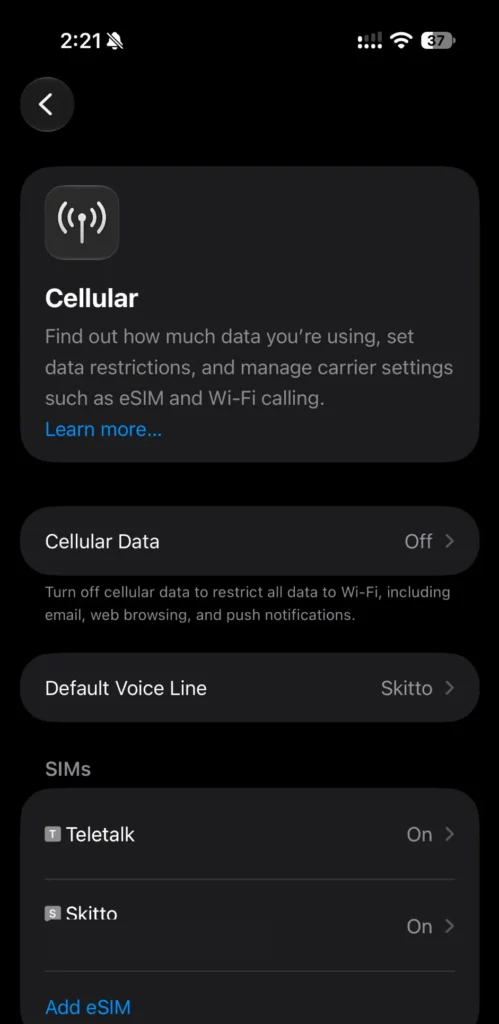
If your iPhone uses Dual SIM, the messaging line may be inactive or different from the one you intended.
On recent iOS versions:
- Open Settings.
- Tap Cellular.
- Review the available SIM and eSIM lines.
- Select the line you use for messaging.
- Check that Turn On This Line is enabled, where available.
- Confirm that the line is active with your carrier.
You can also review which line is being used for a particular conversation in Messages.
On supported Dual SIM configurations, Messages can use different cellular lines.
If one line is inactive or has restricted messaging service, switching to an active, authorized line may help.
Do not delete your eSIM as an early troubleshooting step. Reinstalling it may require assistance from your provider.
If your cellular line is failing to activate, see our iPhone eSIM Not Activating troubleshooting guide.
Fix 5: Check Cellular Signal and Network Availability
SMS messaging generally relies on your carrier’s cellular service.
Unlike iMessage, it does not operate solely through Apple’s internet messaging system.
Apple notes that SMS can also be sent over Wi-Fi when supported Wi-Fi Calling is enabled.
To check the connection:
- Look at the cellular signal indicator.
- Make sure Airplane Mode is off.
- Check whether your carrier has reported an outage.
- Try moving to an area with stronger cellular coverage.
- Attempt another permitted test message.
If your iPhone shows SOS Only or No Service, investigate the cellular connection before changing message settings.
A device that cannot connect to its normal carrier may also be unable to send SMS.
However, if your phone has normal coverage and the exact Message Blocking Is Active error persists, continue checking account restrictions.
Fix 6: Restart Your iPhone and Refresh the Cellular Connection
A temporary connection problem can sometimes be resolved by reconnecting to the mobile network.
First, try Airplane Mode:
- Open Settings.
- Enable Airplane Mode.
- Wait approximately 15 seconds.
- Disable Airplane Mode.
- Allow your iPhone to reconnect to its carrier.
Then test messaging again.
If the problem continues, restart your iPhone.
For iPhones with Face ID:
- Hold the Side button and either Volume button.
- Drag the power-off slider.
- Wait for the device to shut down.
- Turn it back on.
- Check whether normal messaging works.
Restarting is a safe initial troubleshooting step, but it cannot remove a restriction applied directly by your carrier.
Fix 7: Check SMS, RCS, and iMessage Settings
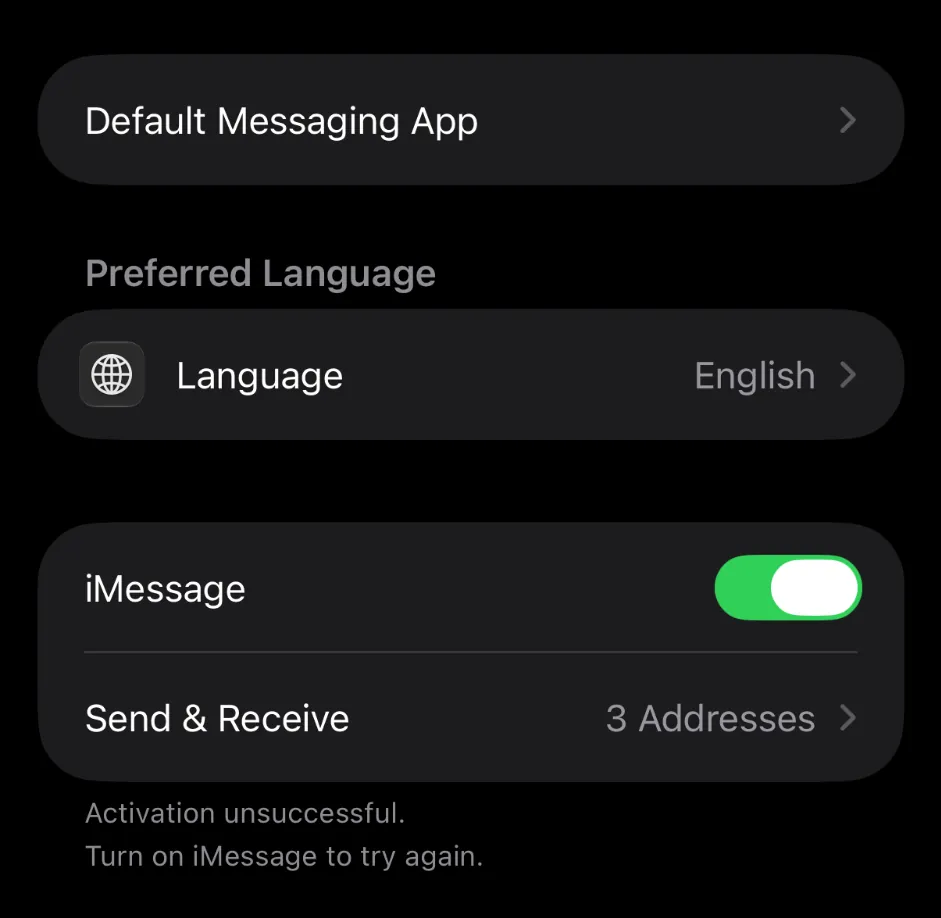
Apple’s Messages app supports different messaging technologies.
iMessage uses Apple’s messaging service and works over Wi-Fi or cellular data.
SMS and MMS use carrier-provided text messaging services.
RCS supports more advanced messaging features, but availability depends on your carrier and region.
To review your settings:
- Open Settings.
- Select Apps.
- Tap Messages.
- Review the available iMessage, RCS, and SMS-related options.
- Check that your phone number is configured correctly.
For iMessage, open Send & Receive and verify that the correct phone number is selected.
If iMessage fails and your carrier supports SMS, the option to send or reply as a text message can provide an alternative delivery method.
However, switching from iMessage to SMS will not bypass an active carrier SMS block.
Likewise, turning RCS off or on is not a guaranteed fix for account-level Message Blocking.
Use these controls to identify the messaging service involved, not as a substitute for asking your carrier about restrictions.
Apple provides additional information in its official Messages troubleshooting guide.
Fix 8: Update Your Carrier Settings and iOS
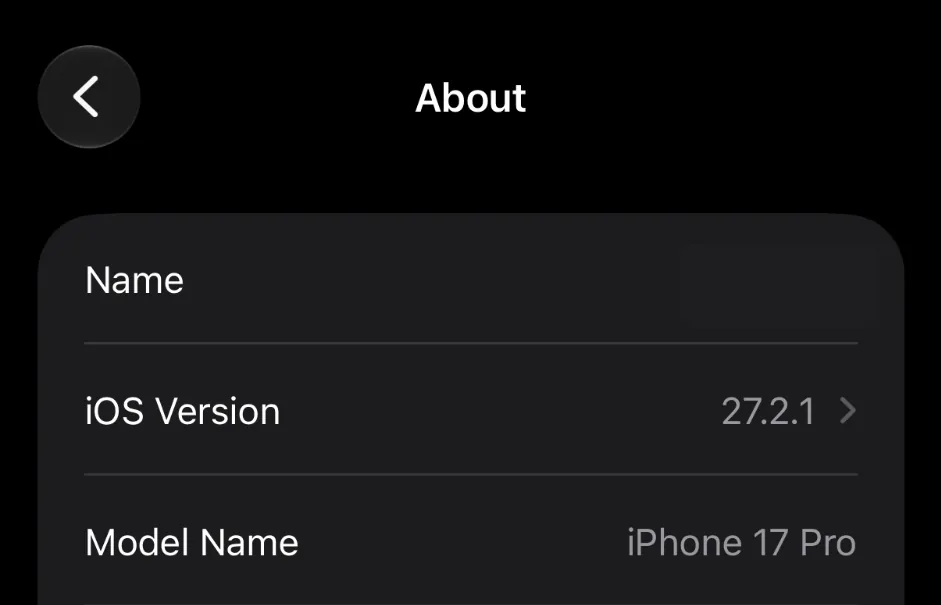
Your carrier settings help your iPhone communicate with the cellular network.
An outdated or incorrect configuration may contribute to some connectivity problems.
To check for a carrier settings update:
- Connect your iPhone to Wi-Fi or a working cellular network.
- Open Settings.
- Tap General.
- Select About.
- Wait briefly.
- If an update prompt appears, follow the instructions.
If no prompt appears, there may be no new carrier update available.
You can also check for an iOS update under:
Settings → General → Software Update
Install a compatible update when appropriate, after backing up your iPhone.
Carrier settings updates can improve network compatibility, but they do not automatically remove restrictions placed on an account by a mobile provider.
See Apple’s carrier settings update instructions.
Fix 9: Reset Network Settings Only After Other Checks
If the carrier confirms that there are no messaging restrictions and your cellular plan is active, resetting network settings may be worth considering.
This should be a later step because it changes saved network configurations.
To reset:
- Open Settings.
- Tap General.
- Select Transfer or Reset iPhone.
- Tap Reset.
- Choose Reset Network Settings.
- Confirm the action.
This resets saved Wi-Fi networks and passwords, cellular settings, and certain VPN and APN configurations.
It does not perform a full factory erase of your photos and applications.
However, you may need to reconnect to saved networks and restore relevant network settings afterward.
If your iPhone is managed by an organization, consult your administrator first.
Important: Reset Network Settings does not remove carrier-account message blocks. If your provider has confirmed that a restriction exists, resolve it with the provider instead.
For more information, review Apple’s network settings reset guide.
How to Turn Off Message Blocking With Your Carrier
The solution depends on which carrier provides your wireless service.
There is no universal iPhone switch labeled Message Blocking Is Active that removes all carrier restrictions.
T-Mobile
T-Mobile documents Message Blocking as an account-managed feature.
Eligible primary account holders can review messaging restrictions using T-Mobile’s account tools.
These may include blocks on chargeable SMS and MMS or restrictions associated with family management.
If the setting is enabled unintentionally, an authorized account holder can review the appropriate option or contact T-Mobile support.
For an error affecting only one recipient, T-Mobile also recommends checking whether message blocking is active on the sender’s or recipient’s side.
Visit T-Mobile Message Blocking Support for official details.
Verizon
Verizon provides account-level tools for blocking calls and messages from particular numbers.
Some restrictions may also be managed through family services.
If your Verizon line displays the error, check your account permissions and contact Verizon to investigate SMS or MMS provisioning.
Don’t assume that changing the iPhone’s local Blocked Contacts list will remove a carrier restriction.
AT&T and Other Carriers
If you use AT&T, another US provider, or an international carrier, check whether your account has messaging restrictions.
Ask support to confirm that:
- Outgoing SMS is enabled.
- Incoming SMS is enabled.
- MMS is supported by your plan.
- The line is active.
- Account or family restrictions are not preventing messaging.
- The carrier has not applied a number-specific or destination-specific restriction.
Carrier terminology and account tools vary, so follow your provider’s official instructions.
Message Blocking Is Active for Only One Person
If you can text almost everyone except one contact, avoid immediately resetting your entire phone.
Instead, investigate that destination.
Confirm the phone number and any country code.
Then ask your carrier whether there is a number-specific messaging restriction or routing problem.
If the recipient is willing to troubleshoot, they can check their carrier’s incoming messaging restrictions.
There is an important privacy distinction here.
Message Blocking Is Active does not prove that the recipient deliberately blocked your number on their iPhone.
Apple’s Blocked Contacts feature and a carrier’s message-blocking systems are different.
The error can also involve account-level policies or network behavior.
If the recipient has intentionally blocked contact, respect that decision rather than attempting to bypass it.
Why Does Message Blocking Is Active Appear Even When Nobody Is Blocked?
The term blocking can be misleading.
It does not always refer to a contact being blocked in the iPhone’s Phone or Messages settings.
A carrier can restrict certain types of messages without any individual contact being added to the device’s blocked list.
For example, an account may have a messaging restriction enabled that affects outgoing SMS.
Business or short-code messaging can also be governed by separate service rules.
A newly activated or transferred line may require the provider to verify its messaging configuration.
Therefore, checking the iPhone’s Blocked Contacts list is not enough to rule out carrier message blocking.
If the error persists, ask the carrier to inspect the messaging service on your specific line.
Message Blocking Is Active vs. iMessage Not Delivered
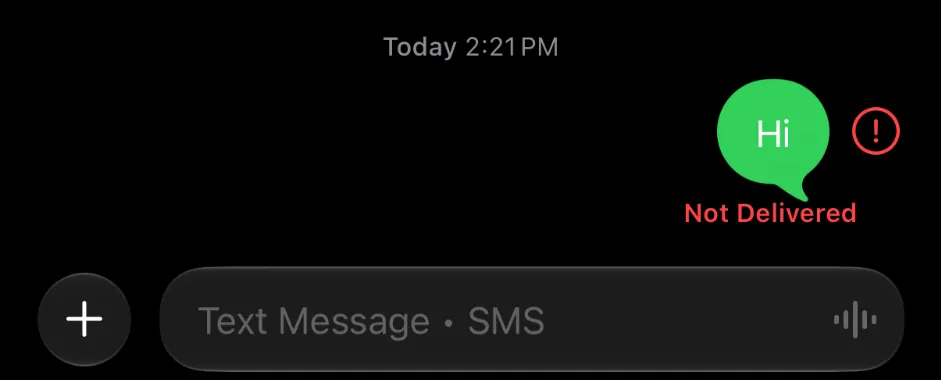
These errors can look similar because both involve messages that fail to send.
However, they don’t necessarily have the same cause.
| Error | What it suggests | Best first action |
|---|---|---|
| Message Blocking Is Active | Carrier restriction or carrier messaging problem | Check messaging permissions and account status |
| iMessage Not Delivered | Failure delivering a message through iMessage | Check internet connectivity and iMessage status |
| SMS Not Delivered | Failure sending through carrier SMS service | Check cellular signal, plan, and carrier |
| RCS Not Working | RCS service or connectivity problem | Check RCS availability and carrier support |
A blue iMessage bubble and a green SMS or RCS bubble use different messaging services.
An internet connection that supports iMessage does not guarantee that your carrier’s SMS service is active.
If your problem is specifically with blue-bubble iMessages, read our iMessage Not Delivered troubleshooting guide.
If ordinary texts fail only when messaging Android users, see iPhone Not Sending Text Messages to Android.
Those guides address broader message-delivery issues, while this article focuses on the message-blocking error.
What to Do If Message Blocking Is Still Active
If you’ve completed the checks above and the error persists, contact your wireless provider.
Before contacting support, collect these details:
- The exact error wording.
- Your carrier and mobile plan.
- Whether the issue affects all contacts or only one.
- Whether SMS, MMS, and RCS all fail.
- Whether ordinary voice calls work.
- Whether your phone number was recently transferred or activated.
- Whether you use a physical SIM or eSIM.
- Whether the issue began after a plan or account change.
Ask your carrier to check outgoing messaging permissions and whether any account-level restrictions are preventing SMS or MMS.
If the problem is limited to a particular destination, mention that explicitly.
Avoid repeatedly resetting your phone once a carrier-level restriction has been identified.
Frequently Asked Questions
What does Unable to Send Message Message Blocking Is Active mean?
It usually indicates that your carrier’s messaging service has rejected or restricted a message. Possible causes include account-level blocking, an inactive plan, or a restriction affecting the destination.
How do I turn off message blocking on my iPhone?
There is no universal iPhone setting that removes carrier message blocking. Check your wireless account’s messaging restrictions or contact your carrier. If an account administrator controls the feature, they may need to make the change.
Does Message Blocking Is Active mean someone blocked my number?
Not necessarily. The error does not prove the recipient intentionally blocked you. It can also result from carrier restrictions or other messaging service problems.
Why can I call someone but not text them?
Voice calling and text messaging are different services. Your line may support calls while SMS or MMS is restricted or experiencing a separate problem.
Why does Message Blocking Is Active appear for only one person?
A destination-specific restriction, number formatting problem, or recipient-side carrier issue may be involved. Verify the number and ask your carrier to investigate the destination.
Can I fix Message Blocking Is Active by turning on iMessage?
Not reliably. iMessage is a separate service that works over Wi-Fi or cellular data. Enabling it does not remove a restriction on carrier SMS or MMS messaging.
Does resetting network settings remove message blocking?
Not if the restriction is configured on your carrier account. Network resets can resolve certain device connectivity problems but cannot override carrier service restrictions.
Is Message Blocking Is Active caused by an unpaid phone bill?
An inactive or suspended account can affect messaging, but the error does not prove that a bill is unpaid. Ask your carrier to check the line’s status.
Why am I getting a Free Msg Unable to Send Message error?
Some carriers generate service messages beginning with “Free Msg” when a text cannot be sent. The rest of the message can provide more specific information about the restriction or failure.
Does Message Blocking Is Active affect Android phones too?
Yes. This is not exclusively an iPhone issue. Similar carrier-related messaging errors can occur on Android devices, although the available troubleshooting menus are different.
Can a carrier block verification or short-code messages?
Yes, certain carrier or account policies can affect business messaging and verification texts. These restrictions may be managed separately from ordinary person-to-person SMS. Contact your provider if important verification messages fail.
Final Thoughts
If you see Unable to Send Message Message Blocking Is Active, start with your mobile carrier rather than immediately resetting your iPhone.
Check whether SMS or MMS restrictions are enabled, verify that your line is active, and determine whether the error affects every contact or only a particular number.
Next, review your cellular connection, SIM or eSIM configuration, and Messages settings.
If necessary, check for carrier updates and consider a network reset only after account-level issues have been ruled out.
The most important point is that Message Blocking Is Active is often a carrier-service issue, not a problem that can be solved by changing iMessage settings alone.
If the restriction is managed by your provider, carrier support or an authorized account administrator may be the only one who can remove it.